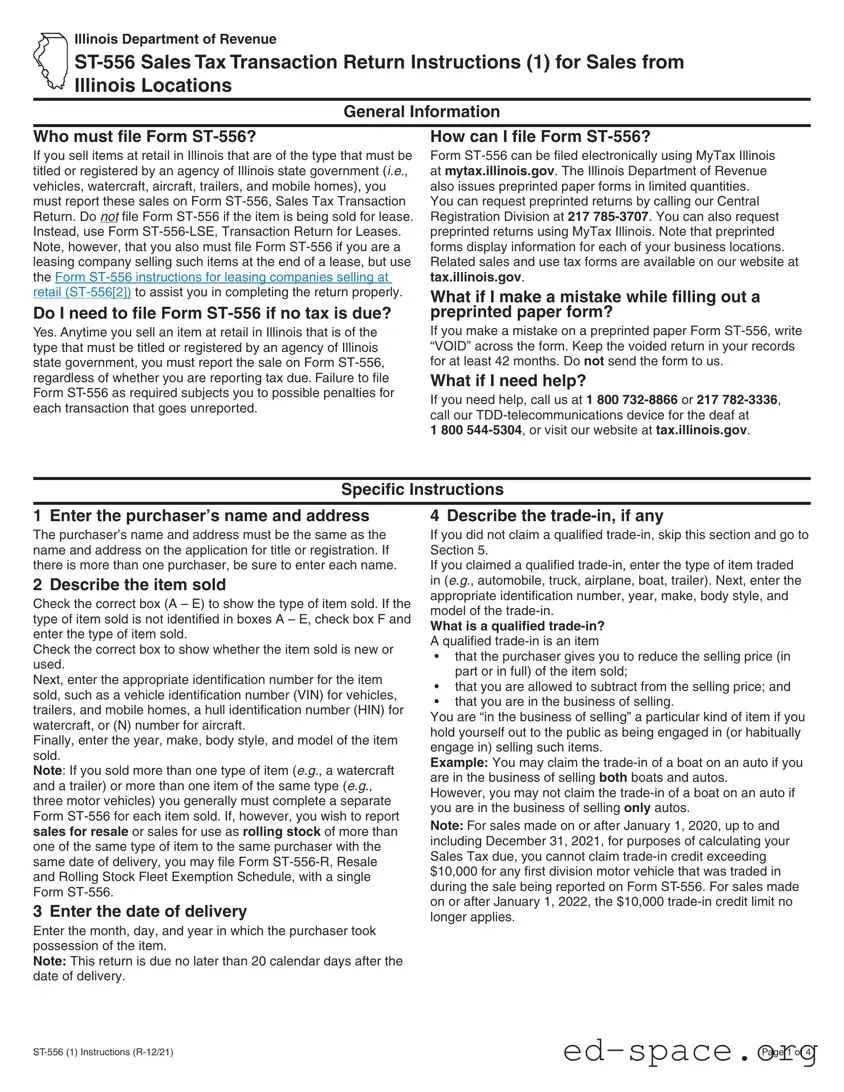
The Illinois Department of Revenue's Form ST-556, known as the Sales Tax Transaction Return, plays a crucial role for businesses engaged in selling items that require titling or registration by the state. This includes vehicles, watercraft, aircraft, trailers, and mobile homes. Retailers must file this form for each sale, even if no tax is due, to avoid penalties for unreported transactions. While electronic filing is encouraged through MyTax Illinois, preprinted paper forms are also available upon request. The form requires detailed information, such as the purchaser's name and address, a description of the item sold, and the date of delivery. Additionally, it addresses trade-ins and exemptions, allowing sellers to navigate the complexities of sales tax accurately. Understanding how to fill out Form ST-556 correctly is essential for compliance and avoiding potential fines, making it imperative for sellers to familiarize themselves with its requirements and instructions.

Illinois Department of Revenue
General Information
Who must file Form
If you sell items at retail in Illinois that are of the type that must be titled or registered by an agency of Illinois state government (i.e., vehicles, watercraft, aircraft, trailers, and mobile homes), you must report these sales on Form ST‑556, Sales Tax Transaction Return. Do not file Form ST‑556 if the item is being sold for lease. Instead, use Form ST‑556‑LSE, Transaction Return for Leases. Note, however, that you also must file Form ST‑556 if you are a leasing company selling such items at the end of a lease, but use the Form ST‑556 instructions for leasing companies selling at retail (ST‑556[2]) to assist you in completing the return properly.
Do I need to file Form
Yes. Anytime you sell an item at retail in Illinois that is of the type that must be titled or registered by an agency of Illinois state government, you must report the sale on Form ST‑556, regardless of whether you are reporting tax due. Failure to file Form ST‑556 as required subjects you to possible penalties for each transaction that goes unreported.
How can I file Form
Form ST‑556 can be filed electronically using MyTax Illinois at mytax.illinois.gov. The Illinois Department of Revenue also issues preprinted paper forms in limited quantities. You can request preprinted returns by calling our Central Registration Division at 217
What if I make a mistake while filling out a preprinted paper form?
If you make a mistake on a preprinted paper Form ST‑556, write “VOID” across the form. Keep the voided return in your records for at least 42 months. Do not send the form to us.
What if I need help?
If you need help, call us at 1 800
1 800
Specific Instructions
1 Enter the purchaser’s name and address
The purchaser’s name and address must be the same as the name and address on the application for title or registration. If there is more than one purchaser, be sure to enter each name.
2 Describe the item sold
Check the correct box (A – E) to show the type of item sold. If the type of item sold is not identified in boxes A – E, check box F and enter the type of item sold.
Check the correct box to show whether the item sold is new or used.
Next, enter the appropriate identification number for the item sold, such as a vehicle identification number (VIN) for vehicles, trailers, and mobile homes, a hull identification number (HIN) for watercraft, or (N) number for aircraft.
Finally, enter the year, make, body style, and model of the item sold.
Note: If you sold more than one type of item (e.g., a watercraft and a trailer) or more than one item of the same type (e.g., three motor vehicles) you generally must complete a separate Form ST‑556 for each item sold. If, however, you wish to report sales for resale or sales for use as rolling stock of more than one of the same type of item to the same purchaser with the same date of delivery, you may file Form ST‑556‑R, Resale and Rolling Stock Fleet Exemption Schedule, with a single Form ST‑556.
3 Enter the date of delivery
Enter the month, day, and year in which the purchaser took possession of the item.
Note: This return is due no later than 20 calendar days after the date of delivery.
4 Describe the
If you did not claim a qualified trade‑in, skip this section and go to Section 5.
If you claimed a qualified trade‑in, enter the type of item traded in (e.g., automobile, truck, airplane, boat, trailer). Next, enter the appropriate identification number, year, make, body style, and model of the trade‑in.
What is a qualified
•that the purchaser gives you to reduce the selling price (in part or in full) of the item sold;
•that you are allowed to subtract from the selling price; and
•that you are in the business of selling.
You are “in the business of selling” a particular kind of item if you hold yourself out to the public as being engaged in (or habitually engage in) selling such items.
Example: You may claim the trade‑in of a boat on an auto if you are in the business of selling both boats and autos.
However, you may not claim the trade‑in of a boat on an auto if you are in the business of selling only autos.
Note: For sales made on or after January 1, 2020, up to and including December 31, 2021, for purposes of calculating your Sales Tax due, you cannot claim trade‑in credit exceeding $10,000 for any first division motor vehicle that was traded in during the sale being reported on Form ST‑556. For sales made on or after January 1, 2022, the $10,000 trade‑in credit limit no longer applies.
ST‑556 (1) Instructions (R‑12/21) |
Page 1 of 4 |
5 Exempt or sale to a nonresident
If the sale is to an Illinois resident and also taxable, skip this section and go to Section 6.
If the sale is exempt from tax, check the correct box (A – F), and complete Section 6, Lines 1 and 2.
If the sale is to a nonresident purchaser who is subject to tax
(i.e., a non‑reciprocal purchaser), complete box A as instructed below and complete all of Section 6.
If you are not required to submit title or registration paperwork on the item, send the return directly to us at:
ILLINOIS DEPARTMENT OF REVENUE
RETAILERS’ OCCUPATION TAX
PO BOX 19042
SPRINGFIELD IL
A. Sold to a nonresident purchaser
Check this box if you sold an item to a nonresident purchaser who is not an out‑of‑state dealer, and who took possession of the item in Illinois, and either
•you issued a drive‑away permit for the item sold; or
•the purchaser transferred out‑of‑state license plates to the item sold.
If you issued a drive‑away permit, enter the drive‑away permit number and the
Exemption is determined by whether the purchaser’s state gives Illinois residents a nonresident purchaser exemption on their purchases of items that will be titled in Illinois. See ST‑58, Reciprocal ‑ Non‑Reciprocal Vehicle Tax Rate Chart, available on our website at tax.illinois.gov, and the instructions for Section 6, Line 4 below for more information.
Note: If you claim the nonresident purchaser exemption, keep a copy of the purchaser’s valid out‑of‑state driver’s license in your records as proof of nonresidency. You also are responsible for obtaining a signed certification documenting the purchaser’s eligibility for the nonresident purchaser exemption. As a condition of claiming this exemption, nonresident purchasers must certify that they are not residents of Illinois. See ST‑588, Nonresidency Exemption Certification for Sales and Leases of Motor Vehicles and Trailers, available on our website at tax.illinois.gov. Retain this certification in your records as proof that no tax was due on the sale of the specified item.
Indiana Purchaser of an RV or Cargo Trailer
If you sell a recreational vehicle or a cargo trailer to a purchaser that will title or register that item in Indiana, the transaction is exempt from Illinois tax if a drive‑away permit is issued or the Indiana purchaser has vehicle registration plates to transfer to the item upon returning to Indiana. You must check Section 5, box F, “Other” and enter “recreational vehicle” or “cargo trailer” on the line provided.
B. Sold for resale to a DEALER
Check this box if you sold the item to either an Illinois or out‑of‑state dealer for resale.
•If you sold to an Illinois dealer, enter the dealer’s account ID number in the space provided.
•If you sold to an Illinois dealer as junk or salvage or for parts, enter “Junked,” “Salvage,” or “Parts Only” after the account ID number.
•If you sold to an out‑of‑state dealer, enter “Out‑of‑State Dealer” in the space provided for the account ID number.
Keep a completed Form CRT‑61, Certificate of Resale, in your books and records for documentation.
C. Sold to an exempt organization
Check this box if you sold the item to an exempt organization that has an active Illinois Sales Tax exemption “E” number, such as:
•a governmental body
•a school
•a religious organization
•a charitable organization
In the space provided, enter the organization’s active Illinois Sales Tax exemption “E” number. The purchaser must be the organization itself rather than a member or officer of the organization. The item must be titled or registered in the organization’s name and paid for with the organization’s funds. The organization’s exemption number must have been in effect on the day you made the sale.
D. Sold to an interstate carrier for hire for use as rolling stock Check this box if you sold an item for use as rolling stock to haul persons or commodities for hire in interstate commerce. In the space provided, enter the certificate of authority number. Keep
a properly completed Form RUT‑7, Rolling Stock Certification, in your books and records for documentation.
E. Sold for rental use
Check this box if
•you sold the item to a business that is registered to collect Automobile Renting Occupation Tax; and
•the purchaser will use the item for rental purposes in rental agreements of one year or less.
Enter the purchaser’s Illinois Automobile Renting Occupation Tax account ID number.
F. Other
Check this box if the sale is exempt for a reason not identified in boxes A – E.
For example:
•You sold a recreational vehicle or cargo trailer to a purchaser that will title and register the item in Indiana and you have issued a drive‑away permit or the Indiana purchaser has vehicle registration plates to transfer to the item upon returning to Indiana. In the space provided, enter “recreational vehicle” or “cargo trailer.”
•You delivered (or caused to be delivered) an item to a purchaser outside Illinois. In the space provided, enter “Delivered Out‑of‑State.”
•You sold the item to a foreign consul who has a card from the U.S. Department of State declaring that the foreign consul does not have to pay sales tax on that item. In the space provided, enter “Foreign Consul.”
•You will use the item for your own interim use. For the item to remain exempt from sales or use tax, it must remain in your sales inventory and be available for sale at all times. In the space provided, enter “Interim Use”.
If you have aircraft or watercraft that you have purchased for resale in your sales inventory and you use these items for demonstration or business purposes, you must pay Illinois Use Tax on your cost price of these items if you hold them for more than 18 months. If you later sell the items and collect Illinois Sales Tax, you cannot claim credit for any Illinois Use Tax you may have paid.
6 Enter the price, and figure the tax
Note: When completing Section 6, round to the nearest dollar by dropping amounts of less than 50 cents and increasing amounts of 50 cents or more to the next higher dollar.
ST‑556 (1) Instructions (R‑12/21) |
Page 2 of 4 |
Line 1 Enter the selling price, including accessories, federal excise taxes, freight and labor, dealer preparation, documentary fees, and any rebates or incentives for which you as a dealer receive reimbursement. Do not subtract the value of any rebate made directly to the customer. In general, any cost passed on to the customer as part of the sale of an item and for which gross receipts are received should be included in the selling price. Note: If you are selling a new truck weighing 33,000 pounds
or more or a new trailer or semitrailer chassis weighing 26,000 pounds or more, you may exclude the federal excise tax from the selling price.
Line 2 If you claimed a qualified trade‑in (see Section 4), enter the total trade‑in credit or value (see Note below). You must identify the traded‑in item in the spaces provided in Section 4. If you claimed an exemption in Section 5 and no tax is due, you do not need to complete the remaining Lines 3 – 14 of Section 6. Remember that you and all purchasers must sign the return.
Note: For sales made on or after January 1, 2020, up to and including December 31, 2021, for purposes of calculating your Sales Tax due, you cannot claim trade‑in credit exceeding $10,000 for any first division motor vehicle that was traded in during the sale being reported on Form ST‑556. For sales made on or after January 1, 2022, the $10,000 trade‑in credit limit no longer applies.
Line 3 Subtract Line 2 from Line 1.
Line 4 Calculate your tax due using the following to determine the appropriate rate:
•If you made this sale at your standard business location (i.e., the location printed on the front of the paper
Form ST‑556 returns the Department issues to you), multiply Line 3 by the tax rate printed on your return.
•If you made this sale at an off‑site location (e.g., a tent sale), follow the instructions on ST‑23, How to Report Off‑Site Sales on Form ST‑556, Sales Tax Transaction Return, or Form ST‑556‑LSE, Transaction Return for Leases, available on our website at tax.illinois.gov.
•If you made this sale to a nonresident who is taking delivery of the item in Illinois but who will title it in a state that does not have a reciprocal nonresident purchaser exemption
for Illinois residents, multiply Line 3 by the nonresident’s state sales tax rate, up to 6.25 percent. See ST‑58, Reciprocal ‑ Non‑Reciprocal Vehicle Tax Rate Chart, available on our website at tax.illinois.gov.
Note for business locations in Cook, DuPage, Kane, Lake, McHenry, or Will County when the customer’s address is in Chicago:
If your sales location is in Cook, DuPage, Kane, Lake, McHenry, or Will County and the purchaser’s address on Form ST‑556, Section 1, is within the corporate limits of the city of Chicago, you must collect an additional 1.25 percent (.0125) Chicago Home Rule Use Tax. To help you calculate the tax due on one of these sales, we preprint a combined rate below Line 4 on the paper Form ST‑556 returns the Department issues to you. This combined rate includes your tax rate, plus the additional 1.25 percent Chicago Home Rule Use Tax. To figure the correct tax due, multiply the amount subject to tax on Line 3 by the combined rate. Enter the result on Line 4.
Line 5 - Read these instructions if your buyer’s address is in Cook, DuPage, Kane, Lake, McHenry, Will, Madison, or St. Clair County.
If the item will be titled or registered in an area in which tax has been imposed by the Regional Transportation Authority or Metro‑East Transit District, the purchaser may owe additional tax. If your sales location is within the boundaries of one of these areas, the additional tax is already included in your combined tax rate. If, however, your sales location falls outside these boundaries, you are not required to collect any additional use tax, but you may do your purchaser the courtesy of collecting the additional tax so that the purchaser will not be billed for it later.
If you have determined that the purchaser is subject to the additional use tax and you have decided to collect and remit that additional tax on the purchaser’s behalf, multiply the amount on Line 3 by any difference in rates (expressed as a decimal), and enter the result on Line 5. Finally, enter the name of the Illinois county in which the purchaser’s address is located. If the purchaser’s address falls within the limits of an Illinois city or village, enter the name of the city or village. If the purchaser’s address falls within Madison or St. Clair County, enter the name of the township in which the address is located.
Do not report municipal or county home rule use tax on Line 5. Line 6 Add Lines 4 and 5.
Line 7 If you are filing this return and paying the tax due within 20 days of the date of delivery entered in Section 3, multiply Line 6 by the rate printed on your return.
Note: Line 7a is preprinted only if you have a business location in the
Line 7a The Illinois Department of Revenue is responsible for collecting and administering the fee imposed in the Metro‑East Mass Transit District on items that are required to be titled or registered in Illinois. Multiply Line 3 by 0.5 percent (0.005).
•If the result is less than $20, enter the result on Line 7a.
•If the result is $20 or more, enter $20 on Line 7a.
Line 8 Subtract Line 7 from Line 6. If you calculated an amount on Line 7a according to the above instruction, subtract Line 7 from Line 6, and then add to that total the amount on Line 7a.
Line 9 If we have notified you that you have an overpayment credit on your account, you may use this overpayment credit to pay some or all of the tax due on this return. Enter the amount you wish to use.
Line 10 This credit is applicable only to lessors selling previously leased items at the expiration of the lease term. See Form ST‑556 instructions for leasing companies selling at retail (ST‑556[2]) for instructions on how to claim a credit for tax paid on an item you are now selling at the end of a lease.
Line 11 If you collected more tax than is due on this sale, enter the amount you overcollected.
Line 12 Subtract Lines 9 and 10 from Line 8 and add Line 11.
Line 13 If you have a credit memorandum and you wish to use it towards what you owe, enter the amount you are using on Line 13.
Line 14 Subtract Line 13 from Line 12, and enter the amount due. Also, enter the identifying number from the remittance you are sending to pay the tax due on this return. If you are filing more than one Form ST‑556, enclose a separate remittance for each return.
ST‑556 (1) Instructions (R‑12/21) |
Page 3 of 4 |
Sign the return
Both the seller and all purchasers must sign the return.
If you claimed a qualified trade‑in for the item sold, the signatures also declare that the title of the traded‑in item has been properly assigned and surrendered to the seller.
Penalty and Fee Information
We will bill you for any amounts owed, including the following penalties and fees:
•You owe a late filing penalty if you do not file a processable return by the due date.
•You owe a late payment penalty if you do not pay the amount you owe by the original due date of the return.
•You owe a bad check penalty if your remittance is not honored by your financial institution.
•You owe a cost of collection fee if you do not pay the amount you owe within 30 days of the date printed on a bill that we send you.
•You owe a nonfiling penalty for transaction returns if you do not file a processable transaction return (ST‑556, Sales Tax Transaction Return, or ST‑556‑LSE, Transaction Return for Leases) by the due date, but only if no tax is due on the return.
For more information, see Publication 103, Penalties and Interest for Illinois Taxes, available on our website at tax.illinois.gov.
|
Printed by authority of the State of |
Illinois |
ST‑556 (1) Instructions (R‑12/21) |
200 copies, PO #: 2220140 |
Page 4 of 4 |
| Fact Name | Details |
|---|---|
| Filing Requirement | If you sell items that require titling or registration in Illinois, you must file Form ST-556. |
| Leasing Exemption | Do not file Form ST-556 for items sold for lease; use Form ST-556-LSE instead. |
| Filing with No Tax Due | Form ST-556 must be filed even if no tax is due on the sale. |
| Filing Methods | Form ST-556 can be filed electronically via MyTax Illinois or by requesting preprinted paper forms. |
| Correction Procedure | If you make a mistake on a preprinted form, write "VOID" across it and keep it for your records. |
| Trade-in Credit | For sales on or after January 1, 2020, the trade-in credit for first division motor vehicles is limited to $10,000. |
| Nonresident Purchaser Exemption | Sales to nonresidents may be exempt from tax if specific conditions are met, including proper documentation. |
| Tax Calculation | Calculate tax based on the selling price, including various costs, and apply the appropriate tax rate. |
| Penalties for Noncompliance | Failure to file Form ST-556 on time may result in penalties, including late filing and late payment fees. |
Filling out the ST-556 form is an essential step for reporting retail sales of specific items in Illinois. The process requires careful attention to detail to ensure compliance with state regulations. Follow the steps below to complete the form accurately.
After completing these steps, ensure that all information is correct and submit the form by the due date to avoid penalties. Filing can be done electronically or via a preprinted paper form, depending on your preference and business needs.
What is the purpose of Form ST-556?
Form ST-556, known as the Sales Tax Transaction Return, is used to report retail sales of items in Illinois that require titling or registration by a state agency. This includes vehicles, watercraft, aircraft, trailers, and mobile homes. The form ensures that sales tax is properly accounted for and collected on these transactions.
Who is required to file Form ST-556?
If you are selling items at retail in Illinois that must be titled or registered, you are required to file Form ST-556. This requirement holds true even if no tax is due on the sale. It’s important to note that leasing companies must also file this form when selling items at the end of a lease, but they should refer to specific instructions for leasing companies.
Do I need to file Form ST-556 if no tax is due?
Yes, you must still file Form ST-556 even if no tax is due. Reporting the sale is mandatory to avoid potential penalties for failing to file. Each transaction that goes unreported could result in fines.
How can I file Form ST-556?
You can file Form ST-556 electronically through MyTax Illinois at mytax.illinois.gov. Alternatively, you can request preprinted paper forms by calling the Central Registration Division at 217-785-3707. These preprinted forms will include information specific to your business locations.
What should I do if I make a mistake on a preprinted paper form?
If you notice an error on a preprinted paper Form ST-556, you should write “VOID” across the form and keep it for your records for at least 42 months. Do not submit the voided form to the Illinois Department of Revenue.
What information do I need to provide about the purchaser?
When filling out Form ST-556, you need to provide the purchaser’s name and address, which must match the information on their application for title or registration. If there are multiple purchasers, all names must be included.
What is a qualified trade-in, and how does it affect my filing?
A qualified trade-in is an item that the purchaser gives to reduce the selling price of the new item. To qualify, you must be in the business of selling both the new item and the trade-in. For sales on or after January 1, 2020, the trade-in credit for first division motor vehicles is limited to a maximum of $10,000.
What if the sale is exempt from tax?
If the sale is exempt from tax, you must check the appropriate box on Form ST-556 and complete the relevant sections. This includes sales to nonresidents or exempt organizations. Documentation supporting the exemption must be retained for your records.
What penalties may apply for not filing or paying on time?
Failing to file Form ST-556 on time can lead to several penalties, including late filing and late payment penalties. Additionally, if a check is returned due to insufficient funds, a bad check penalty will apply. It’s essential to file accurately and on time to avoid these fees.
Incorrect Purchaser Information: Failing to ensure that the purchaser's name and address match the details on the title or registration application can lead to processing delays. Always double-check this information.
Missing Item Description: Not checking the correct box (A – E) to indicate the type of item sold is a common mistake. If the item doesn’t fit into these categories, it’s essential to select box F and provide a description.
Omitting Identification Numbers: Forgetting to enter the appropriate identification number, such as a VIN for vehicles or a HIN for watercraft, can cause issues. These numbers are crucial for accurate record-keeping.
Incorrect Delivery Date: Entering the wrong date of delivery can lead to complications. This date is significant as the return is due within 20 calendar days of this date.
Trade-in Misunderstandings: Not correctly identifying a qualified trade-in can result in lost tax credits. Ensure you understand what qualifies as a trade-in and provide the necessary details if applicable.
Neglecting Exemption Information: If the sale is exempt from tax, failing to check the appropriate box (A – F) can lead to incorrect filings. Always confirm the exemption status before submission.
Improper Tax Calculation: Errors in calculating the tax due, especially when it comes to rounding and applying the correct tax rate, are common. Take your time to ensure accuracy in this section.
Missing Signatures: Both the seller and all purchasers must sign the return. Forgetting to include signatures can result in the return being deemed incomplete.
Failure to Keep Records: Not retaining a copy of the voided return when mistakes are made can lead to complications later. Keep records for at least 42 months, as recommended.
The Illinois ST-556 form is essential for reporting sales of items that must be titled or registered by state agencies. In addition to this form, there are several other documents that may be necessary depending on the nature of the transaction. Understanding these forms can help ensure compliance and facilitate smoother transactions.
Each of these forms plays a significant role in the sales tax reporting process in Illinois. Proper use of these documents can help avoid penalties and ensure that all transactions are recorded accurately. It is advisable to familiarize oneself with each form to facilitate compliance and streamline the sales process.
When filling out the ST-556 Illinois form, there are essential dos and don’ts to ensure accuracy and compliance. Below is a list of guidelines to follow:
Misconception 1: You only need to file Form ST-556 if tax is due.
This is incorrect. You must file Form ST-556 for any retail sale of items that require titling or registration, regardless of whether tax is due. Failing to file can lead to penalties.
Misconception 2: You can use Form ST-556 for leased items.
Form ST-556 is specifically for sales. If you are selling an item for lease, you should use Form ST-556-LSE instead. Leasing companies selling items at the end of a lease must still follow the ST-556 guidelines.
Misconception 3: You can file Form ST-556 only in paper format.
You can file Form ST-556 electronically through MyTax Illinois. While preprinted paper forms are available, electronic filing is often more convenient and efficient.
Misconception 4: Mistakes on preprinted forms can be corrected by simply crossing out the error.
If you make a mistake on a preprinted paper Form ST-556, you should write “VOID” across the form and keep it for your records. Do not send the voided form to the Illinois Department of Revenue.
Filling out the ST-556 form for sales tax transactions in Illinois requires careful attention to detail. Here are key takeaways to keep in mind: