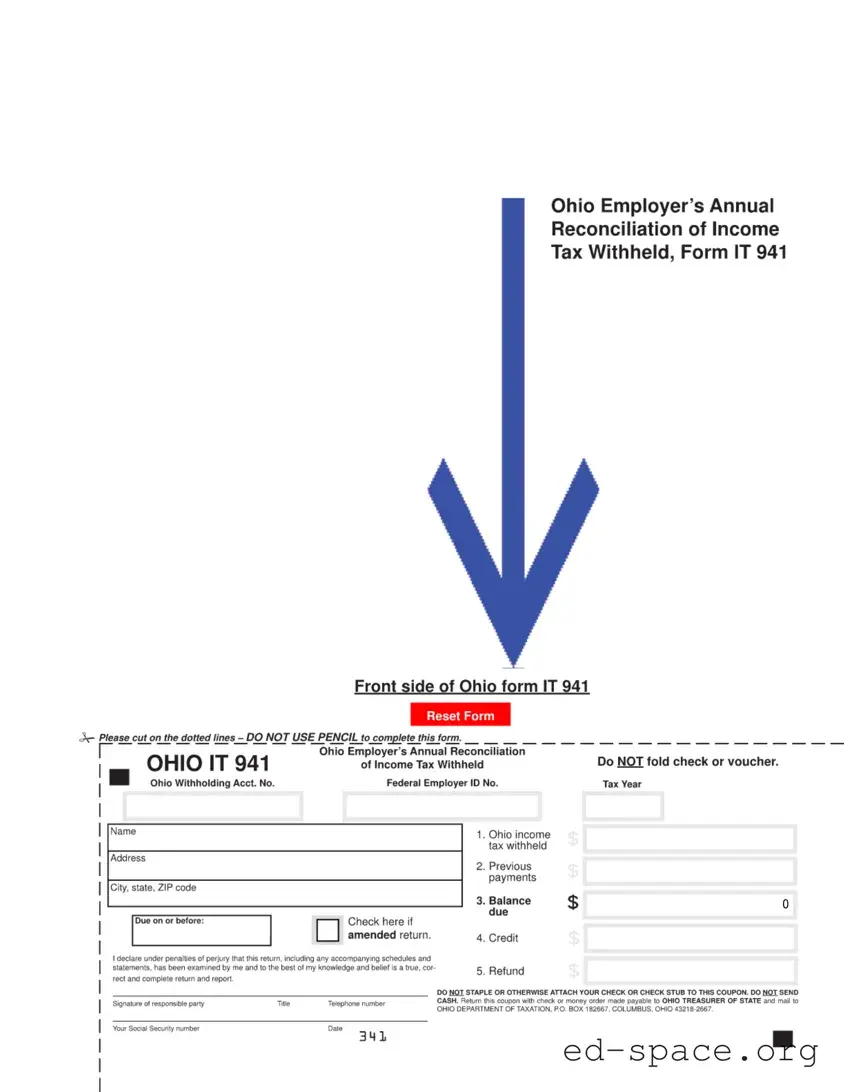
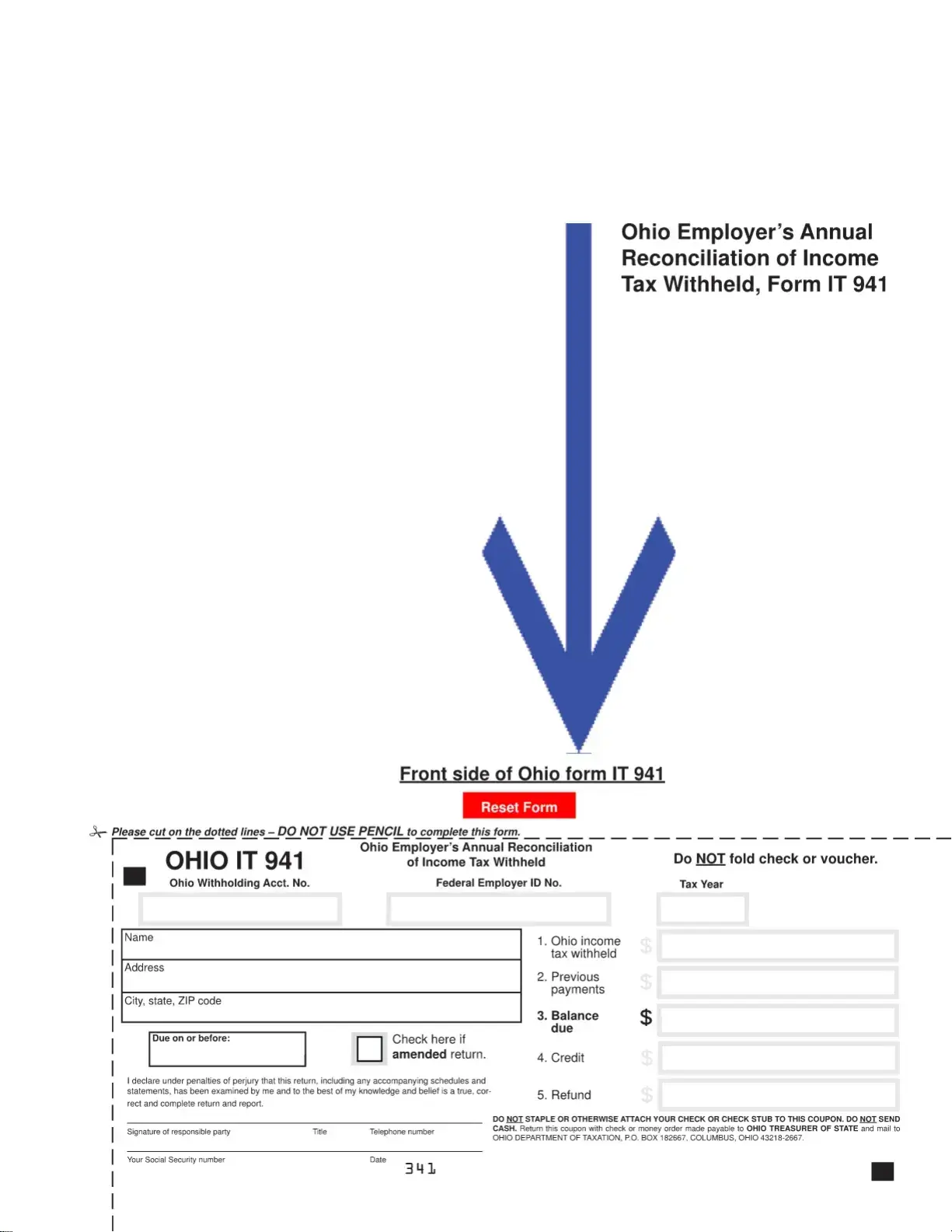
The Ohio IT 941 form serves as an essential tool for employers in Ohio to reconcile the income tax withheld from their employees throughout the year. This annual reconciliation form, officially known as the Ohio Employer’s Annual Reconciliation of Income Tax Withheld, requires employers to report the total amount of income tax that has been deducted from employee wages and remitted to the state. It includes important information such as the Ohio Withholding Account Number and the Federal Employer ID Number, both of which are necessary for accurate processing. Employers must also declare under penalties of perjury that the information provided is true and complete, ensuring accountability in the reporting process. The form features a section for detailing monthly gross payroll and the corresponding tax withheld for each month, culminating in an annual total. Additionally, instructions emphasize the importance of not folding or stapling the check or voucher that accompanies the form. This attention to detail helps streamline the submission process, allowing for a more efficient review by the Ohio Department of Taxation. Proper completion and timely submission of the IT 941 form not only fulfill legal obligations but also contribute to the overall fiscal health of the state.

| Fact Name | Description |
|---|---|
| Purpose | The Ohio IT 941 form is used by employers to reconcile the income tax withheld from employees throughout the year. |
| Filing Requirement | Employers must file the IT 941 annually to report total income tax withheld for the tax year. |
| Due Date | The form is typically due by January 31 of the following year after the tax year ends. |
| Payment Instructions | Payments must be made payable to the Ohio Treasurer of State and mailed to the Ohio Department of Taxation. |
| Governing Law | The IT 941 form is governed by the Ohio Revised Code, specifically Chapter 5747 regarding income tax. |
| Signature Requirement | A responsible party must sign the form, declaring under penalties of perjury that the information is accurate. |
Filling out the Ohio IT 941 form is an important step for employers to report income tax withheld from employees. After completing the form, it must be submitted to the Ohio Department of Taxation along with any necessary payment. Below are the steps to accurately fill out the form.
What is the Ohio IT 941 form?
The Ohio IT 941 form is the Employer’s Annual Reconciliation of Income Tax Withheld. Employers use this form to report the total income tax withheld from employees' paychecks throughout the year. It serves as a summary of the employer's withholding activities for the tax year.
Who needs to file the Ohio IT 941 form?
Any employer who withholds Ohio income tax from employees' wages must file the Ohio IT 941 form. This includes businesses of all sizes, as well as non-profit organizations that have employees subject to withholding.
When is the Ohio IT 941 form due?
The Ohio IT 941 form is typically due on January 31 of the year following the tax year being reported. For example, if you are filing for the tax year 2023, the form would be due on January 31, 2024.
How do I complete the Ohio IT 941 form?
To complete the Ohio IT 941 form, you will need to provide your Ohio Withholding Account Number, Federal Employer ID Number, and the total Ohio gross payroll and tax withheld for each month of the year. Ensure that all information is accurate and complete, as any discrepancies could lead to penalties.
What should I do if I made an error on the Ohio IT 941 form?
If you discover an error after submitting the form, you should file an amended return. This involves completing a new IT 941 form with the corrected information and marking it as an amendment. Include an explanation of the changes made to help clarify the situation for tax authorities.
Where do I send the Ohio IT 941 form?
The completed Ohio IT 941 form should be mailed to the Ohio Department of Taxation at P.O. Box 182667, Columbus, Ohio 43218-2667. Do not send cash, and ensure that you include any payment due with your form.
What payment methods are accepted for the Ohio IT 941 form?
You can make payments by check or money order made payable to the "Ohio Treasurer of State." It is important not to staple or attach your payment to the form. Instead, return the payment with the form in the provided envelope.
Can I file the Ohio IT 941 form electronically?
Yes, employers can file the Ohio IT 941 form electronically through the Ohio Department of Taxation's e-file system. This method can simplify the filing process and may provide quicker confirmation of receipt.
What happens if I fail to file the Ohio IT 941 form?
Failing to file the Ohio IT 941 form can result in penalties and interest on any taxes owed. It is crucial to file the form on time to avoid these additional costs. If you encounter difficulties, consider reaching out to a tax professional for assistance.
How long should I keep a copy of the Ohio IT 941 form?
Employers should retain a copy of the Ohio IT 941 form and any supporting documentation for at least four years. This retention period is important in case of audits or inquiries from tax authorities.
Failing to use black ink when filling out the form can lead to issues. The instructions clearly state that pencil should not be used. This mistake may result in your entries being unreadable or rejected.
Omitting the Ohio Withholding Account Number or the Federal Employer ID Number is a common error. Both numbers are essential for identifying your business and ensuring proper processing of your return.
Not declaring the correct tax year can cause significant problems. Always double-check that you are reporting for the correct year, as this affects your compliance and potential penalties.
Many people forget to sign the form. A missing signature can lead to delays in processing your return and may even trigger audits or additional scrutiny.
Submitting the form without proper payment can lead to complications. Ensure that you include a check or money order made payable to the Ohio Treasurer of State and do not fold or staple your payment to the form.
The Ohio IT 941 form is crucial for employers to report income tax withheld from employee wages throughout the year. However, several other documents often accompany this form to ensure compliance with state tax regulations. Below is a list of these essential forms and documents.
These forms and documents work together to provide a comprehensive overview of an employer's tax obligations and employee withholdings. Properly managing these documents is essential for compliance and to avoid potential penalties.
The Ohio IT 941 form serves as an important document for employers in Ohio to reconcile income tax withheld from employees. Several other forms share similarities with the IT 941 in terms of purpose and structure. Below are five documents that are comparable:
When filling out the Ohio IT 941 form, there are several important guidelines to follow. Here’s a list of things you should and shouldn't do to ensure your submission is accurate and complete.
By following these guidelines, you can help ensure that your Ohio IT 941 form is processed smoothly and efficiently.
Understanding the Ohio IT 941 form is crucial for employers who need to reconcile income tax withheld from employees. However, several misconceptions can lead to confusion. Below is a list of ten common misunderstandings regarding this form.
Addressing these misconceptions can help ensure compliance with Ohio tax regulations and avoid potential penalties. Employers should carefully review the instructions for the IT 941 to ensure accurate and timely filing.
When filling out and using the Ohio IT 941 form, keep these key points in mind:
Following these guidelines will help ensure that your submission is processed smoothly and accurately.