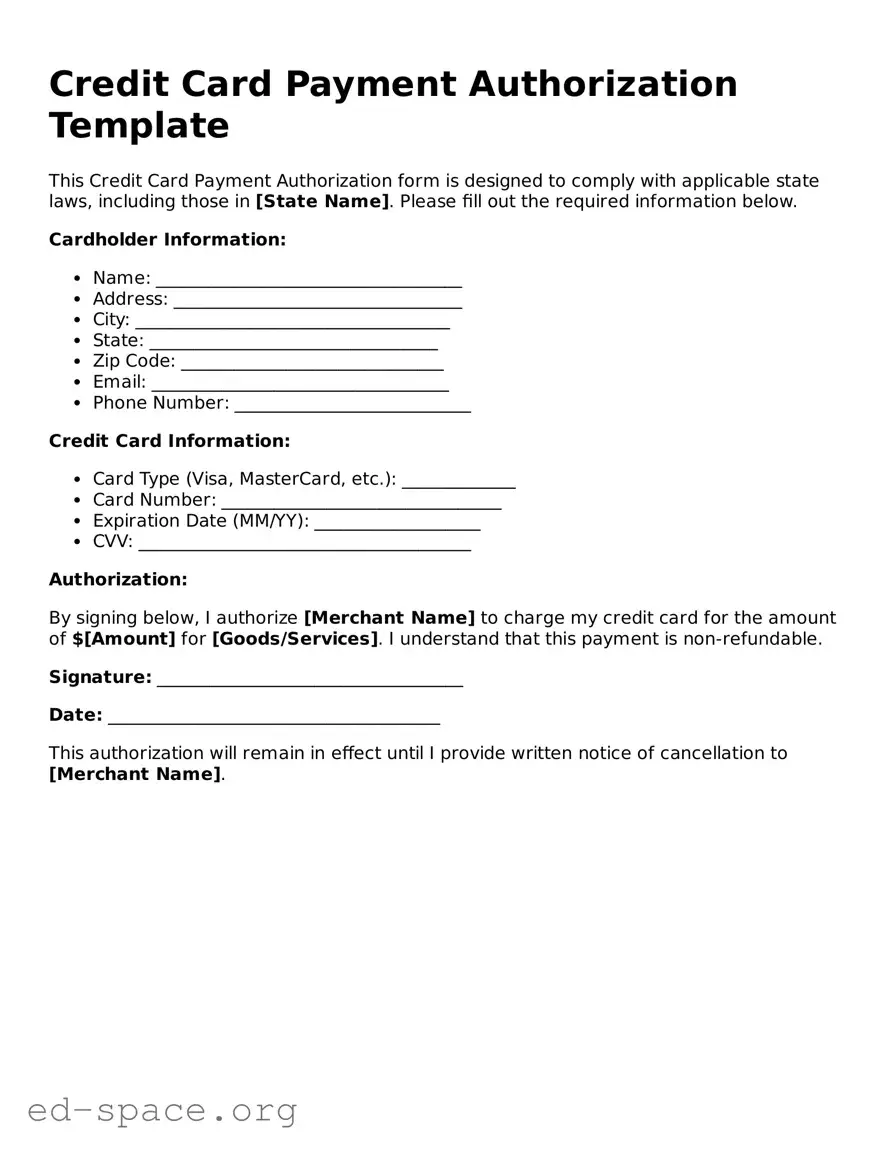
The Credit Card Payment Authorization form is an essential document for businesses that accept credit card payments. It serves as a secure method for customers to authorize transactions, ensuring that their payment information is handled safely and efficiently. Key aspects of this form include the cardholder's name, card number, expiration date, and security code, all of which are crucial for processing payments. Additionally, the form typically requires the cardholder's signature, providing legal consent for the transaction. This form not only protects the business from fraudulent activities but also reassures customers that their sensitive information is being treated with care. By clearly outlining the terms of the transaction, the Credit Card Payment Authorization form fosters trust between the customer and the merchant, paving the way for a smooth payment experience.
Credit Card Payment Authorization Template
This Credit Card Payment Authorization form is designed to comply with applicable state laws, including those in [State Name]. Please fill out the required information below.
Cardholder Information:
Credit Card Information:
Authorization:
By signing below, I authorize [Merchant Name] to charge my credit card for the amount of $[Amount] for [Goods/Services]. I understand that this payment is non-refundable.
Signature: ___________________________________
Date: ______________________________________
This authorization will remain in effect until I provide written notice of cancellation to [Merchant Name].
| Fact Name | Details |
|---|---|
| Definition | A Credit Card Payment Authorization form allows a business to charge a customer’s credit card for goods or services. |
| Purpose | This form is used to obtain permission from the cardholder to process a payment. |
| Required Information | The form typically requires the cardholder's name, card number, expiration date, and security code. |
| Signature | A signature is often needed to confirm the cardholder's authorization for the transaction. |
| State-Specific Forms | Some states may have specific requirements for the form, including additional disclosures. |
| Governing Laws | In California, the form is governed by the California Consumer Privacy Act (CCPA). |
| Security Measures | Businesses must ensure that the form is stored securely to protect sensitive information. |
| Revocation | Cardholders have the right to revoke authorization at any time, which must be documented. |
| Record Keeping | It is important for businesses to keep records of all authorized transactions for compliance purposes. |
Completing the Credit Card Payment Authorization form is an essential step in ensuring that your payment is processed smoothly. Once you have filled out the form correctly, you can submit it to the appropriate party for processing. Below are the steps you need to follow to accurately fill out the form.
After completing these steps, review the form for any errors or missing information before submitting it. This careful attention will help ensure a seamless transaction process.
What is a Credit Card Payment Authorization form?
A Credit Card Payment Authorization form is a document that allows a business to charge a customer's credit card for a specific amount. This form provides the necessary information to process the payment securely and ensures that the customer has authorized the transaction. It is commonly used in various industries, including retail, services, and online transactions.
Why do I need to fill out this form?
Filling out this form is essential for both the customer and the business. It protects the business from unauthorized charges and provides a clear record of the customer's consent. For customers, it ensures that their payment information is handled securely and that they are aware of the charges being made to their card.
What information do I need to provide on the form?
The form typically requires several key pieces of information. You will need to provide your name, billing address, credit card number, expiration date, and the security code (CVV). Additionally, you may need to specify the amount to be charged and the purpose of the transaction. Always double-check that the information is accurate to avoid processing delays.
Is my information safe when I submit this form?
Yes, when handled properly, your information should be safe. Reputable businesses use secure methods to process credit card information, such as encryption. Always ensure that you are dealing with a trusted company and that the form is submitted through a secure channel, such as an encrypted website or a secure email.
Can I revoke my authorization after submitting the form?
Yes, you can revoke your authorization. However, it is crucial to do so as soon as possible and to follow the business's specific procedures for cancellation. Keep in mind that if a payment has already been processed, you may need to request a refund separately. Always read the terms and conditions associated with the authorization to understand your rights.
How long is the authorization valid?
The validity of the authorization can vary depending on the business's policies and the nature of the transaction. Some authorizations are valid for a single transaction, while others may cover recurring payments over a specified period. It’s important to clarify this with the business when filling out the form.
What should I do if I see an unauthorized charge on my statement?
If you notice an unauthorized charge, act quickly. Contact your credit card issuer immediately to dispute the charge. They can provide guidance on how to proceed and may issue a temporary credit while they investigate the matter. Additionally, inform the business that processed the charge to ensure they are aware of the situation.
Failing to provide complete personal information. This includes not filling out your full name, address, and contact details.
Incorrect credit card number. Double-check that all digits are entered correctly. A single mistake can lead to payment failure.
Not specifying the expiration date. Ensure you include both the month and year. Leaving this blank can cause delays.
Missing the CVV code. This three-digit number on the back of your card is essential for processing payments securely.
Not signing the authorization form. A signature is often required to confirm your consent for the transaction.
Providing an incorrect billing address. This should match the address associated with the credit card to avoid issues.
Using an expired credit card. Always check the expiration date to ensure your card is valid.
Not reading the terms and conditions. Understanding the agreement is crucial before authorizing any payment.
Submitting the form without reviewing it. Take a moment to check all entries for accuracy before sending it in.
When processing credit card payments, several forms and documents may accompany the Credit Card Payment Authorization form. Each of these documents serves a specific purpose, ensuring that transactions are conducted securely and in compliance with relevant regulations. Below are some commonly used forms that work alongside the authorization form.
Utilizing these forms alongside the Credit Card Payment Authorization form helps create a comprehensive approach to managing financial transactions. This not only protects the interests of the business but also provides reassurance to customers regarding the security of their payment information.
When filling out a Credit Card Payment Authorization form, it is important to be meticulous and cautious. Here are some key dos and don’ts to consider:
Many people have misunderstandings about the Credit Card Payment Authorization form. Here are some common misconceptions:
When filling out and using the Credit Card Payment Authorization form, keep these key takeaways in mind:
By following these guidelines, you can ensure a smooth payment process and protect your financial information.