Homepage Blank Class List PDF Form
Article Guide

The Class List form serves as an essential tool for teachers, providing a structured way to manage classroom rosters. This multipurpose document includes fields for the teacher's name and the subject being taught, ensuring that all relevant information is easily accessible. The form allows for the listing of up to 15 students, making it practical for various classroom sizes. Each student's name can be recorded in a designated space, promoting organization and clarity. Additionally, the form emphasizes the importance of rights and resources, reflecting a commitment to maintaining a respectful and inclusive learning environment. With its straightforward layout, the Class List form is designed to facilitate efficient classroom management, enabling teachers to focus on delivering quality education.
Document Preview

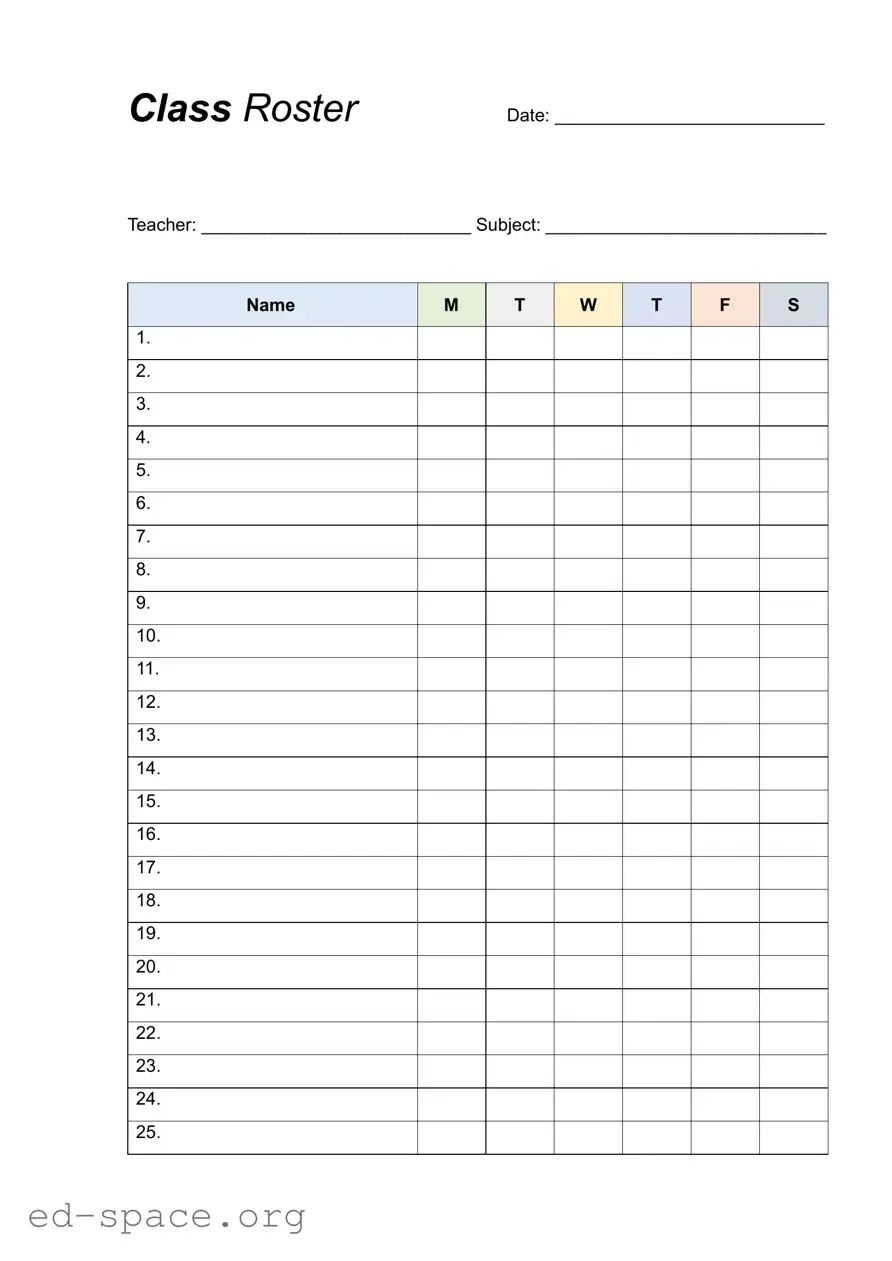
Class Roster

Date: ___________________________

Teacher: ___________________________ Subject: ____________________________

Name

M

T

W

T

F

S


1.

2.

3.

4.

5.

6.

7.

8.

9.

10.

11.

12.

13.

14.

15.

16.

17.

18.

19.

20.

21.

22.

23.

24.

25.

Form Specifications

Fact Name Description
Purpose The Class List form is designed to organize and manage student information for classroom activities.
Teacher Information The form includes a section for the teacher's name, ensuring accountability and clear communication.
Subject Area A designated area for the subject allows for easy identification of the class focus.
Student Listing It provides space for up to 12 student names, facilitating attendance tracking and participation records.
Reserved Rights The form includes a notice about reserved rights, indicating copyright protections for the material.
Governing Law In many states, the use of classroom forms is governed by educational regulations and privacy laws.
Multiple Use This form is categorized as a multiple-use resource, making it versatile for various classroom settings.

Class List: Usage Guidelines

Once you have the Class List form in front of you, it's time to get started on filling it out. This form will help organize important information about your class, making it easier to keep track of students and their details. Follow the steps below to complete the form accurately.

  1. Begin by locating the section labeled Teacher: Write your name in this space.
  2. Next, find the section for Subject: Indicate the subject you are teaching.
  3. Look for the area labeled NAME. This is where you will list your students' names.
  4. Start with the first student and write their name in the first blank space.
  5. Continue filling in the names of the remaining students, one by one, in the following spaces.
  6. Make sure to fill in all the available slots up to the 13th name. The rest of the spaces are reserved.
  7. Double-check to ensure that all names are spelled correctly.
  8. Once you have filled in all the names, review the form for any missing information.
  9. Sign and date the form if required, confirming the information is accurate.
  10. Finally, keep a copy for your records and submit the completed form as directed.

Your Questions, Answered

What is the purpose of the Class List form?

The Class List form is designed to help teachers organize and manage their classrooms effectively. It provides a structured way to list students enrolled in a particular subject or class. By using this form, teachers can easily keep track of attendance, participation, and other important aspects of student engagement. This organization is crucial for maintaining a productive learning environment.

How do I fill out the Class List form?

To fill out the Class List form, start by entering your name as the teacher and the subject you are teaching at the top of the form. Then, list each student's name in the designated spaces provided. There are typically 15 spaces available, allowing for a comprehensive roster. Ensure that you spell each name correctly, as this will help with attendance and communication with parents or guardians.

Can I use the Class List form for multiple classes?

Yes, the Class List form can be adapted for use in multiple classes. While the form is primarily designed for a single subject, you can create separate forms for each class you teach. This approach allows for better organization and ensures that you have a clear record of each group of students. Just make sure to label each form appropriately with the subject and class period to avoid any confusion.

What should I do if I need to make changes to the Class List?

If you need to make changes to the Class List, such as adding or removing a student, you can do so directly on the form. It’s best to make these changes as soon as possible to keep your records accurate. If the form is printed, you might consider using a pen for neatness. If it’s a digital form, simply edit the document and save the updated version. Keeping the Class List current is essential for effective classroom management.

Common mistakes

When filling out the Class List form, people often make several common mistakes. Here are five of them:

  1. Not including the teacher's name at the top of the form. This information is essential for proper identification.
  2. Forgetting to specify the subject being taught. This helps in organizing and categorizing the class lists.
  3. Leaving student names incomplete. Each student’s full name should be listed to avoid confusion.
  4. Using incorrect numbering for the student list. Ensure that each student is numbered consecutively from 1 to 15.
  5. Neglecting to check for spelling errors in names. Mistakes can lead to issues with communication and records.

By avoiding these mistakes, you can ensure that the Class List form is filled out accurately and efficiently.

Documents used along the form

When managing a classroom, several forms and documents complement the Class List form to ensure smooth operations. Each of these documents serves a specific purpose, helping educators maintain organization and communication effectively.

  • Attendance Sheet: This document tracks student attendance daily. It helps teachers monitor who is present and who is absent, providing a clear record for future reference.
  • Gradebook: A vital tool for recording student grades and performance. It allows teachers to keep a detailed account of assessments, assignments, and overall progress.
  • Lesson Plan Template: This outlines the objectives, activities, and assessments for each class. It helps teachers stay organized and ensures that all necessary topics are covered.
  • Permission Slips: These forms are used to obtain parental consent for various activities, such as field trips or special events. They ensure that parents are informed and involved in their child's education.
  • Report Cards: Issued periodically, these documents provide a summary of a student's performance, including grades and comments on behavior and participation.
  • Behavior Log: This form tracks student behavior and discipline issues. It helps teachers identify patterns and communicate with parents about their child's conduct.
  • Curriculum Guide: A comprehensive document outlining the educational standards and expectations for each grade level. It serves as a roadmap for teachers to follow throughout the year.
  • Parent-Teacher Communication Log: This keeps a record of interactions with parents, including meetings, phone calls, and emails. It helps maintain open lines of communication and fosters collaboration.
  • Resource List: A compilation of educational materials and tools available for use in the classroom. This helps teachers identify and access resources that enhance learning.

By utilizing these forms and documents alongside the Class List, educators can create a more organized and efficient classroom environment. Each piece plays a crucial role in facilitating communication, tracking progress, and ensuring that students receive the support they need to succeed.

Similar forms

  • Attendance Sheet: Similar to the Class List, an attendance sheet tracks students present in class. It often includes names and dates.
  • Grade Book: A grade book records student grades for assignments and tests. Like the Class List, it organizes information by student names.
  • Seating Chart: A seating chart visually represents where each student sits in the classroom. It helps in managing classroom dynamics, similar to how a Class List organizes student information.
  • Class Roster: A class roster provides a list of students enrolled in a course. It serves a similar purpose by listing names and may include contact information.
  • Permission Slip: A permission slip collects parental consent for activities. It often includes student names, much like the Class List.
  • Report Card: A report card summarizes a student's performance over a grading period. It lists names and grades, paralleling the Class List's structure.
  • Behavior Log: A behavior log tracks student behavior incidents. It lists students' names and notes, similar to how the Class List organizes student data.
  • Class Schedule: A class schedule outlines when classes occur. It includes student names for attendance, akin to the Class List.
  • Field Trip List: A field trip list compiles students going on a trip. It organizes names and permissions, resembling the Class List format.
  • Homework Tracker: A homework tracker monitors assignments given to students. It often lists names and due dates, similar to the Class List’s organization.

Dos and Don'ts

When filling out the Class List form, it’s important to keep a few key points in mind. Here’s a helpful list of things to do and things to avoid:

  • Do double-check the teacher's name for accuracy.
  • Do write clearly to ensure readability.
  • Do include all required student names in the designated spaces.
  • Do use the correct subject title for your class.
  • Do keep a copy of the completed form for your records.
  • Don't leave any blank spaces where information is required.
  • Don't use nicknames; stick to the names as they appear on official documents.

Following these guidelines will help ensure that your Class List form is completed correctly and efficiently. Happy filling!

Misconceptions

Many people have misunderstandings about the Class List form. Here are five common misconceptions:

  • It is only for teachers. While teachers primarily use the Class List form, it can also be beneficial for administrators and support staff who need to track student participation.
  • It is only for attendance purposes. The Class List form serves multiple functions, including organizing student information and facilitating communication among staff.
  • All information must be filled out every time. Depending on the context, not every section may require completion. Teachers can use the form flexibly based on their needs.
  • It is a one-time document. The Class List form is often updated throughout the school year as students enroll or withdraw, making it a living document.
  • It is not important for student engagement. In fact, having an accurate Class List can enhance student engagement by helping teachers know their students better and tailor their teaching strategies.

Key takeaways

Filling out and using the Class List form effectively can enhance classroom organization and communication. Here are some key takeaways to keep in mind:

  • Identify Key Information: Clearly fill in the teacher's name and the subject to ensure proper identification of the class.
  • Utilize All Available Spaces: Make sure to use all the numbered slots for student names, as this helps in tracking attendance and participation.
  • Maintain Accuracy: Double-check the names entered for spelling and accuracy to avoid confusion later on.
  • Keep it Accessible: Store the completed Class List form in a location where it can be easily accessed by both teachers and substitutes.
  • Update Regularly: Regularly update the Class List to reflect any changes in enrollment or student status.